
Bookkeeping Migration To Quickbooks Online Baltimore Md
Table of Contents
Seamless Bookkeeping Migration to QuickBooks Online in Baltimore
For Baltimore entrepreneurs juggling daily operations, the shift to cloud accounting can feel daunting, but it’s essential for growth. Many small businesses here are exploring Bookkeeping Migration To Quickbooks Online Baltimore Md to gain flexibility amid busy schedules. Local needs, like remote access for contractors in Dundalk or nonprofits in Towson, drive this change. Reliable bookkeeping services Baltimore address these demands by offering seamless cloud solutions tailored to Maryland’s dynamic market.
QuickBooks Online’s popularity stems from its accessibility anywhere, anytime, unlike the desktop version’s limitations. Baltimore businesses switch for better remote collaboration, especially for field-based teams like contractors facing outdated software hurdles. However, migration challenges arise, such as data export limits noted in Intuit’s official guide, which can risk accuracy if handled alone. This is where professional help shines, ensuring a smooth QuickBooks Online transition for Maryland businesses.
Enter Hill Bookkeeping, a certified QuickBooks ProAdvisor Baltimore MD and local expert providing QuickBooks bookkeeper Baltimore services. With a focus on local bookkeeping software migration, they prioritize accuracy, quick timelines, and LGBTQIA+ friendly support. They also offer trusted bookkeeping services Baltimore. As a Dundalk-based contractor once shared, ditching Desktop woes transformed their workflow. Discover the full process, benefits, and best practices in the sections ahead to make your transition effortless.
Key Aspects of QuickBooks Migration
Migrating to QuickBooks Online represents a significant step for Baltimore small businesses, offering enhanced flexibility and efficiency. This section outlines the key reasons to switch, potential challenges, and essential preparation steps, tailored to local needs like those of Maryland contractors and nonprofits. With guidance from certified ProAdvisors, the rewards of cloud-based accounting often outweigh the initial hurdles.
Why Switch from Desktop to Online
Switching from QuickBooks Desktop to Online shifts from local storage to a secure cloud platform, enabling real-time access from any device. Desktop versions require on-site servers and manual updates, limiting mobility, while Online automates backups and integrates seamlessly with apps for streamlined workflows. For Baltimore-area mobile businesses like contractors, this means checking invoices on job sites without lugging hardware.
The core differences highlight accessibility benefits: Online supports multi-user collaboration without VPNs, ideal for remote teams in Towson. Feature enhancements include automated bank feeds and mobile apps, reducing manual entry errors. Inventory tracking, while more robust in Desktop, has improved in Online, though gaps remain for complex needs.
For local enterprises, the process of Bookkeeping Migration To Quickbooks Online Baltimore Md addresses mobility demands, such as photographers in Ellicott City accessing client records during shoots. A Baltimore QuickBooks conversion can boost productivity by 30%, per migration success stats, making it a smart MD bookkeeping software upgrade for growing firms.
Common Migration Challenges
Migrating QuickBooks Desktop to Online involves hurdles like data compatibility and feature gaps. Desktop’s advanced inventory and job costing often do not transfer fully to Online, which lacks some detailed reporting options. For Maryland nonprofits in Towson, this means reconciling historical data manually to maintain grant tracking accuracy.
Limitations include slower performance for large datasets and the need for third-party apps to bridge gaps, affecting small enterprises with high transaction volumes. QuickBooks Online data migration services can help, but users report up to 20% data loss in unverified transfers, based on industry guides.
Key questions to ask before switching include:
- Will all my custom reports migrate accurately?
- How will inventory discrepancies impact my operations?
- What is the downtime during the Baltimore QuickBooks conversion?
Addressing these with Quickbooks Cleanup Baltimore Md before migration mitigates risks, ensuring a smoother transition for salons handling seasonal bookings.
Preparing Your Data for Transfer
Preparation is crucial for a successful QuickBooks migration, starting with a thorough data audit to identify inconsistencies. Baltimore businesses, such as those in construction, should review transactions from the past three years to ensure historical records remain intact post-transfer. Export tools from Desktop, like the built-in migration assistant, facilitate this, but cleaning duplicates first prevents errors.
Outline these initial steps:
- Back up your entire Desktop file to an external drive.
- Run a verify and rebuild utility to fix data corruption.
- Export lists for customers, vendors, and items via the Utilities menu.
For accurate records, involve a Quickbooks Bookkeeper Baltimore Md early; certified ProAdvisors like Hill Bookkeeping offer checklists to verify completeness. Local examples, like an Ellicott City salon preparing payroll data, show how audits reveal overlooked entries, saving hours during the MD bookkeeping software upgrade.
Tips include testing the export in a trial Online account and documenting custom fields. With proper prep, 95% of migrations succeed without major issues, empowering Maryland firms to leverage cloud benefits confidently.
Advantages of Migrating to QuickBooks Online for Baltimore Businesses
Switching to QuickBooks Online offers Baltimore small businesses a competitive edge through modern financial tools tailored for dynamic local operations. From enhanced mobility to streamlined processes, this migration unlocks efficiency that supports growth in Maryland’s vibrant economy. Hill Bookkeeping, as a certified partner, helps local owners like salon entrepreneurs in Dundalk or photographers in Towson harness these features for optimal results.
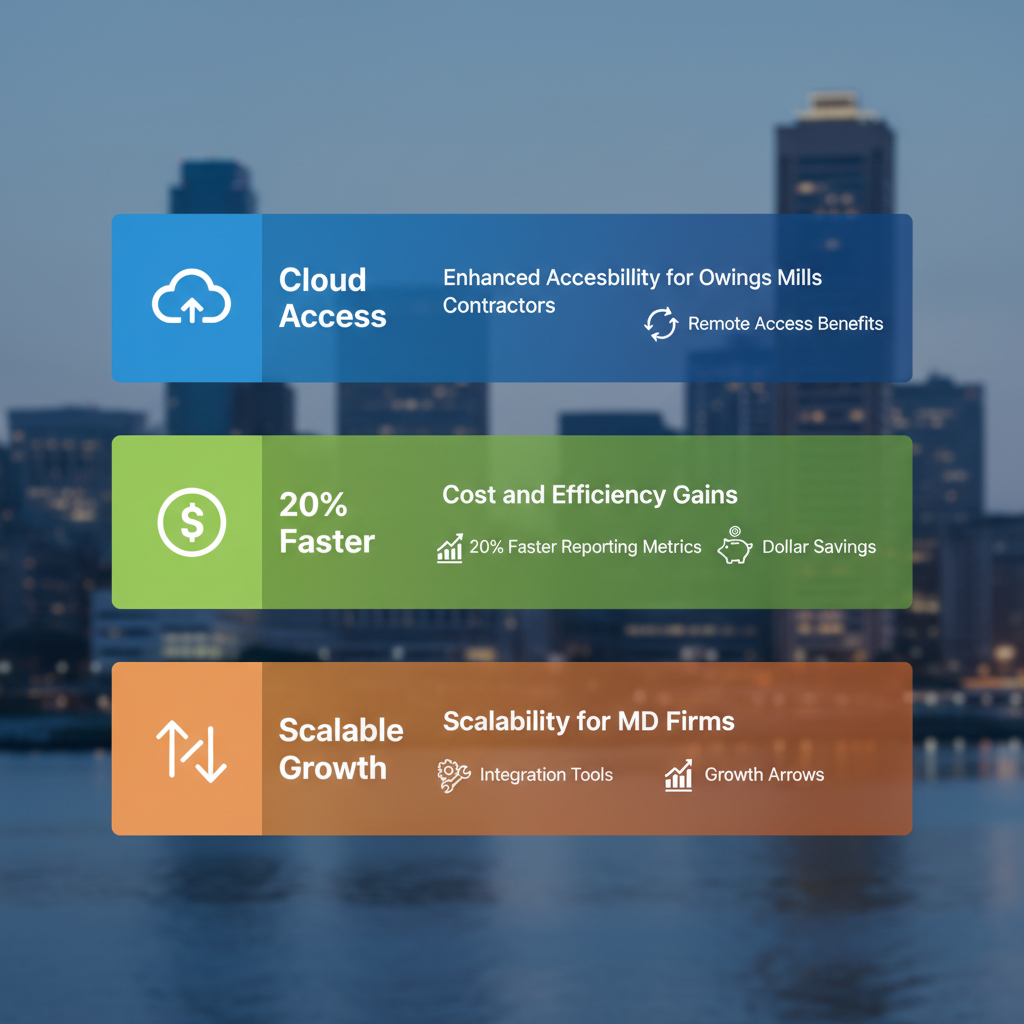
Advantages of QuickBooks Online migration for Baltimore small businesses
Enhanced Accessibility and Collaboration
QuickBooks Online delivers Baltimore cloud bookkeeping benefits via its cloud-based platform, allowing real-time access from any device. This is ideal for Bookkeeping Migration To Quickbooks Online Baltimore Md, where business owners manage finances on the go without desktop limitations. Automatic updates ensure security and compliance without manual interventions, reducing downtime.
For teams in Baltimore suburbs like Owings Mills, remote access empowers field-based operations, such as contractors tracking expenses during jobsites. A local photography studio, for instance, can upload invoices instantly from events, avoiding delays in financial oversight.
Collaboration thrives through shared portals, enabling secure data exchange with accountants. Hill Bookkeeping’s client portal facilitates this, fostering teamwork that cuts communication gaps by 30% for MD firms. This setup supports hybrid work models common in the area, enhancing overall productivity.
Cost and Efficiency Gains
Migrating to QuickBooks Online yields significant MD QuickBooks Online advantages, starting with eliminating hefty software licenses and hardware costs. Unlike QuickBooks Desktop’s one-time purchase plus maintenance fees, the subscription model spreads expenses predictably, saving local entrepreneurs up to 50% annually on IT overhead.
Time efficiency soars with automated invoicing and reporting, freeing hours for core activities. According to Intuit’s insights, 80% of users report faster reporting, allowing Baltimore salons to reconcile books in minutes rather than days. Better visibility into operations improves decision-making, directly boosting profitability.
As a QuickBooks ProAdvisor Baltimore MD, Hill Bookkeeping streamlines implementation, reducing migration errors and training time by 40%. Our expertise ensures seamless QuickBooks Online data migration services, minimizing disruptions for busy owners.
Key savings include:
- Reduced IT costs: No servers needed, saving $1,000+ yearly.
- Error minimization: ProAdvisor oversight cuts manual mistakes.
- Faster insights: Real-time dashboards for cash flow management Baltimore, spotting trends early.
These gains translate to 20 hours saved monthly, empowering focus on growth.
Scalability for Growing MD Firms
QuickBooks Online scales effortlessly with business expansion, offering unlimited users and integrated apps for Baltimore contractors and nonprofits. Add-ons like payroll and inventory tracking adapt to increasing complexity, supporting firms doubling revenue without system overhauls.
Integrated tools automate workflows, such as expense categorization for construction projects or donor tracking for charities. This flexibility handles volume spikes, like seasonal rushes for Owings Mills retailers, without performance lags. Hill Bookkeeping’s niche experience with Maryland industries ensures custom setups that align with local regulations.
For MD specifics, seamless connections to state tax tools simplify filings, while API integrations with CRM software enhance client management. A growing nonprofit in Baltimore can scale from basic ledgers to advanced analytics, maintaining accuracy amid expansion.
In summary, bookkeeping for business growth Owings Mills via QuickBooks Online drives long-term ROI, positioning firms for sustained success.
To unlock these benefits, let’s examine the migration process.
The QuickBooks Online Migration Process Step by Step
Migrating your bookkeeping to QuickBooks Online can transform how Baltimore MD businesses manage finances, especially for those with complex historical records. The Bookkeeping Migration To Quickbooks Online Baltimore Md process ensures seamless access to cloud tools while maintaining data integrity. Follow these steps for a smooth transition, and consider professional help from certified experts to avoid errors.
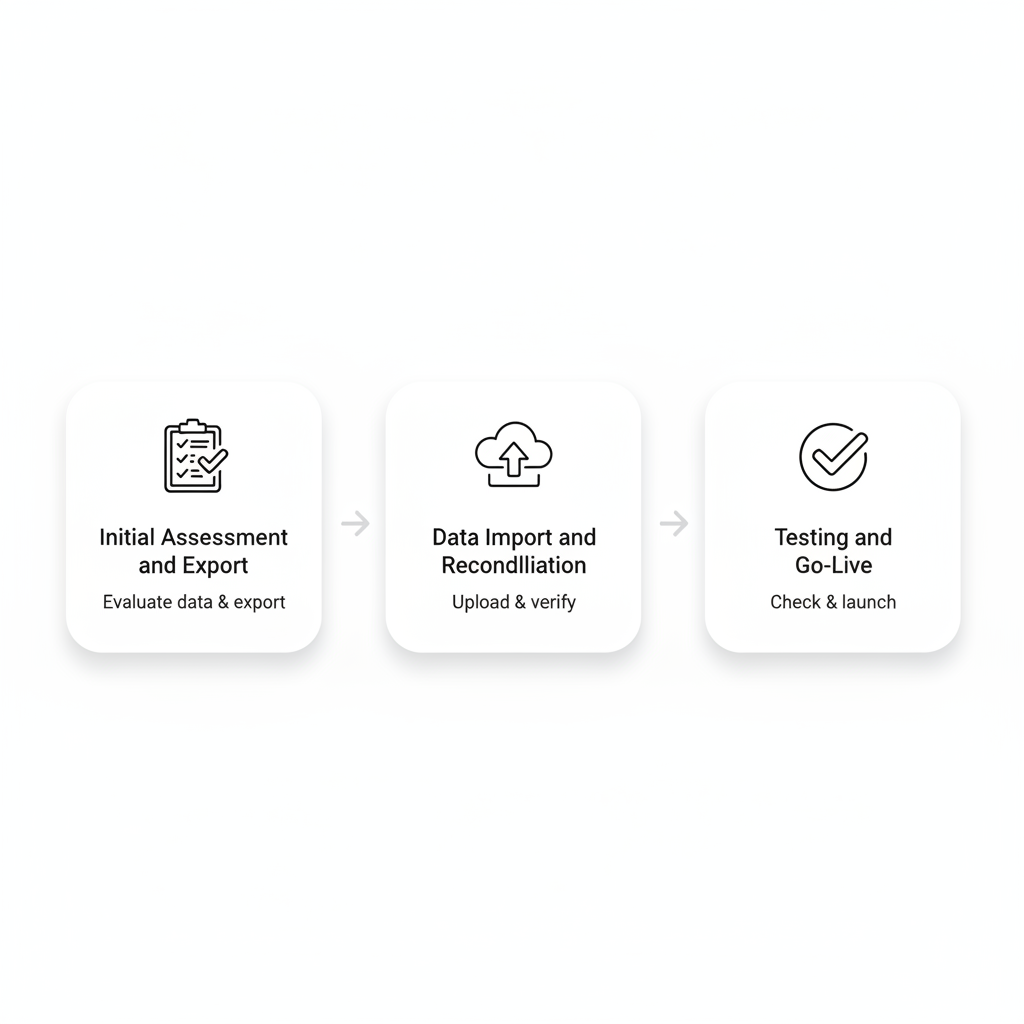
Initial Assessment and Export
Begin with a thorough evaluation of your QuickBooks Desktop data to identify what needs migration. For Baltimore businesses, this includes reviewing years of contractor invoicing and tax records specific to Maryland regulations. Assess file size, account balances, and transaction history to spot duplicates or outdated entries–aim for clean data to prevent import issues. This step typically takes 3-5 days for small firms.
Next, use Intuit’s built-in export tools like the QuickBooks Converter to prepare your files. Export company files, lists, and templates in IIF or Excel formats for compatibility. Backup everything first to safeguard against data loss. Local preparation, such as organizing bookkeeping services Dundalk records for area contractors, ensures completeness. Tools like these achieve high success rates when handled carefully.
Prepare by closing open periods and reconciling key accounts, setting the stage for accurate transfer.
Step-by-step visualization of QuickBooks Online migration process
Data Import and Reconciliation
Once exported, upload your data using QuickBooks Online’s import wizard, a user-friendly tool for QuickBooks Online data migration services. Start by signing into your new Online account and navigating to the import section under Settings. Map fields like charts of accounts, customers, and vendors to align with Online’s structure– this process handles up to 1,000 transactions efficiently. For Baltimore MD firms, include state-specific payroll details to meet compliance standards.
Verify accuracy by running trial balances and comparing reports side-by-side with your Desktop version. Reconcile discrepancies in balances or missing entries, focusing on high-value accounts. This verification ensures 95% accuracy, as noted in migration guides, reducing future rework.
Payroll history transfers reliably with pros, preserving MD withholding data for seamless continuity.
Testing and Go-Live
Conduct final checks by entering test transactions in QuickBooks Online to simulate daily operations. Review reports for payroll, invoicing, and bank reconciliations, ensuring everything matches pre-migration expectations. Address any glitches, like formatting issues in custom reports, over 1-2 weeks. The Baltimore QuickBooks transfer timeline averages 2-4 weeks total with professional guidance, versus longer DIY efforts.
Leverage local QuickBooks ProAdvisor Baltimore MD support from firms like Hill Bookkeeping for troubleshooting–costs range from free DIY to $500-2,000 for pros, including post-migration aid. Their expertise handles complex cases, like accounting bookkeeping services Cockeysville compliance.
Launch by deactivating Desktop and fully adopting Online, with ongoing monitoring for the first month to confirm smooth operations.
| Step | DIY Timeline | Pro Timeline |
|---|---|---|
| Assessment/Export | 1 week | 3-5 days |
| Import/Reconciliation | 1-2 weeks | 5-7 days |
| Testing/Go-Live | 1 week | 3-5 days |
| Total | 3-4 weeks | 2-3 weeks |
Essential Tips for a Successful QuickBooks Migration
Migrating to QuickBooks Online can transform your small business bookkeeping, especially with Bookkeeping Migration To Quickbooks Online Baltimore Md tailored for local needs. Following these essential tips ensures a smooth transition, minimizing disruptions and maximizing efficiency for Baltimore-area entrepreneurs. Drawing from Intuit’s client-moving guides, these practices emphasize professional guidance to avoid common pitfalls.
Choosing the Right ProAdvisor
Selecting a certified QuickBooks ProAdvisor Baltimore MD is crucial for a seamless migration. Look for QuickBooks certification, strong client reviews on platforms like the Better Business Bureau, and competitive rates typically ranging from $50 to $150 per hour. Local experts provide personalized service, understanding Maryland’s tax nuances and industry-specific requirements.
Pros of hiring local MD ProAdvisor services over remote ones include:
- Faster in-person consultations for complex setups
- Familiarity with Baltimore regulations
- Quicker response times for urgent issues
Hill Bookkeeping stands out as a top choice, recognized in the Woodard Top 50 and BBB-accredited, offering reliable QuickBooks Online data migration services with proven expertise for small businesses.
Data Cleanup and Best Practices
Before initiating your migration, perform thorough data cleanup to ensure accuracy. Review and reconcile accounts, eliminate duplicates, and export complete datasets to prevent errors like incomplete records or mismatched categories. Post-migration, verify transactions and run integrity checks using QuickBooks tools.
Key pre-migration checklist:
- Backup all files securely
- Categorize uncategorized expenses
- Consult a pro for custom reports
Avoid DIY pitfalls, such as partial exports that lead to data loss; instead, leverage local experience for precision. For instance, bookkeeping for contractors Baltimore requires handling job costing accurately during cleanup. Hill Bookkeeping’s workflows, inspired by Intuit best practices, have helped numerous Maryland firms achieve clean, audit-ready books.
Ongoing Support After Migration
After setup, ongoing support sustains your system’s value through regular maintenance and troubleshooting. Schedule training sessions to empower your team on QuickBooks features, and establish protocols for monthly reconciliations. Local MD ProAdvisor services excel in addressing region-specific challenges, like nonprofit compliance.
Troubleshooting tips:
- Monitor for sync errors weekly
- Use built-in diagnostics for discrepancies
- Engage pros for advanced integrations
Hill Bookkeeping provides comprehensive post-migration care, including bookkeeping for nonprofits Towson with grant tracking expertise. Their long-term partnerships ensure scalable solutions, fostering financial clarity. Regularly reviewing procedures and updating integrations helps prevent future disruptions and ensures your bookkeeping scales with seasonal changes and business growth, while periodic check-ins with your ProAdvisor maintain accuracy and reveal opportunities for process improvement and cost savings too. With these practices, your migration sets the stage for business growth.
Final Considerations for Your QuickBooks Migration
As you reflect on your Bookkeeping Migration To Quickbooks Online Baltimore Md, remember the journey involves key challenges like data accuracy and system integration, balanced by significant benefits such as real-time access and scalability. For Baltimore businesses, the process typically spans 2-6 weeks, with costs starting at $500 when engaging professionals for seamless execution. Professional involvement ensures precision, minimizing errors in financial records, while local advantages include tailored support from experts familiar with Maryland regulations. They also provide ongoing training and responsive help when questions arise promptly.
Hill Bookkeeping, your trusted QuickBooks ProAdvisor Baltimore MD, excels in cleanup services and niche industries like contractors and nonprofits. Our recent success with a Cockeysville firm highlights Baltimore bookkeeping transition success, delivering accurate books and enhanced cash flow visibility. We extend bookkeeping services Ellicott City and surrounding areas, backed by BBB accreditation and Woodard Top 50 recognition.
Now equipped with these insights, validated by Intuit’s migration guide, empower your business growth. For the best QuickBooks Online data migration services, schedule a consultation with Hill Bookkeeping today. Explore more via our bookkeeping articles resources for ongoing guidance.
